Product features

The tools required for a consistent technical tender.

Features of version 0.16.0. Take-off aids and imports still require professional review. Hosted sharing requires office authorisation.

LBM Submit

Inside the software

From technical preparation to tender documents: explore the LBM Submit workspaces.

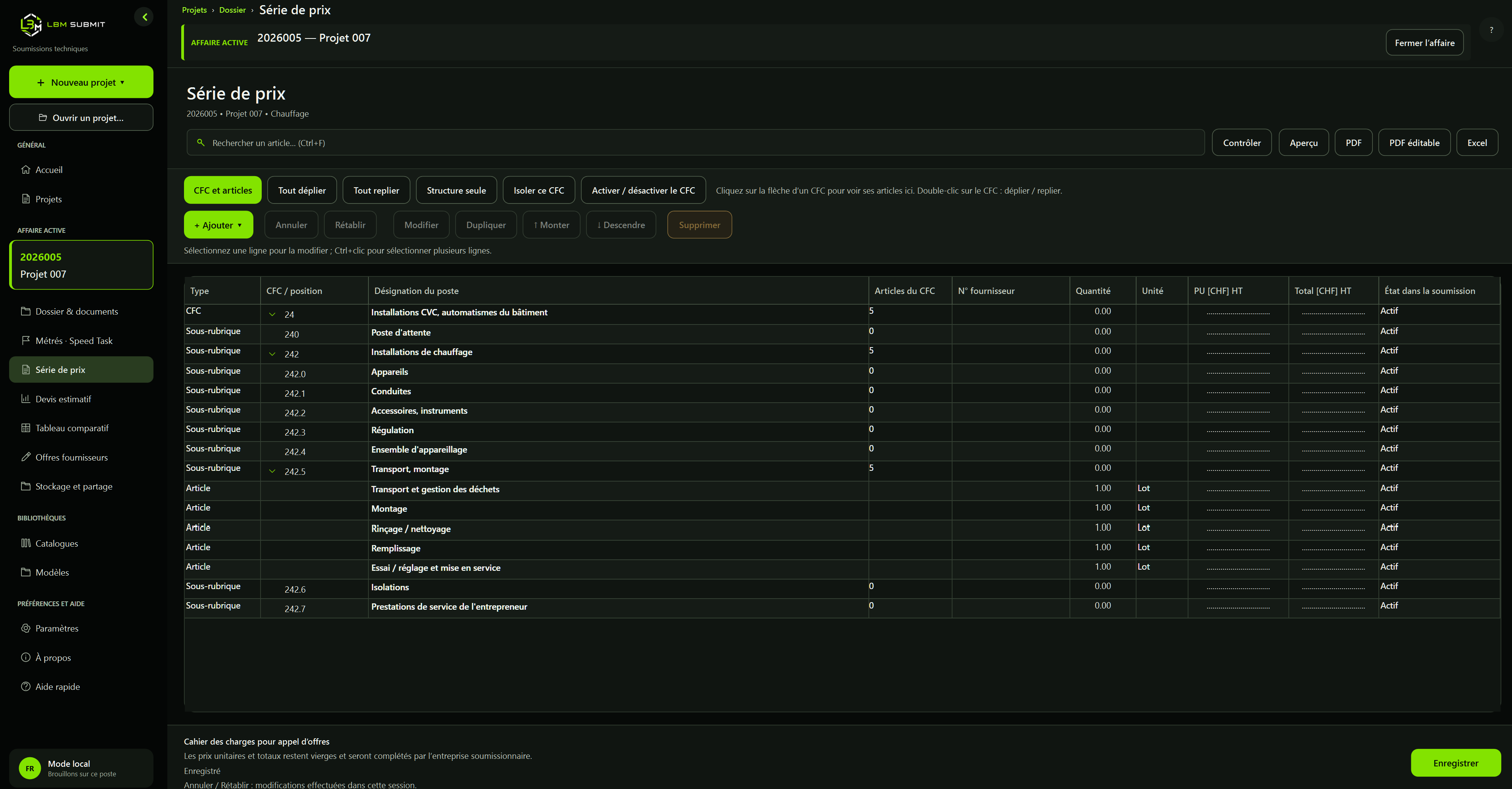
A price schedule organised by CFC

A price schedule organised by CFC

Structure sections, add items and check quantities. Prices to be completed by bidding companies remain blank in the tender document.

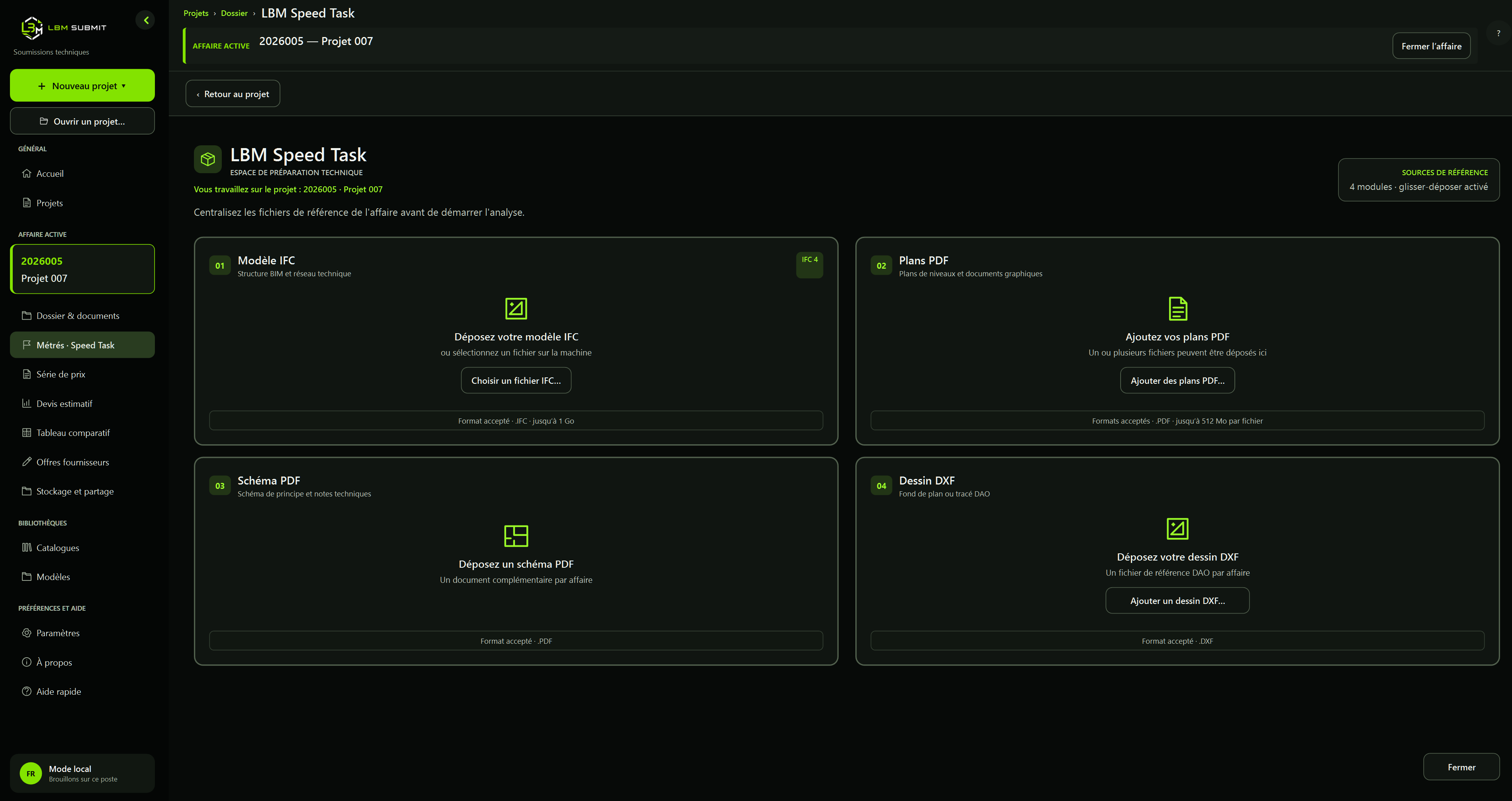
Technical sources in one place

Technical sources in one place

Gather IFC models, PDF plans, schematics and DXF drawings within the project before preparing quantity take-offs.

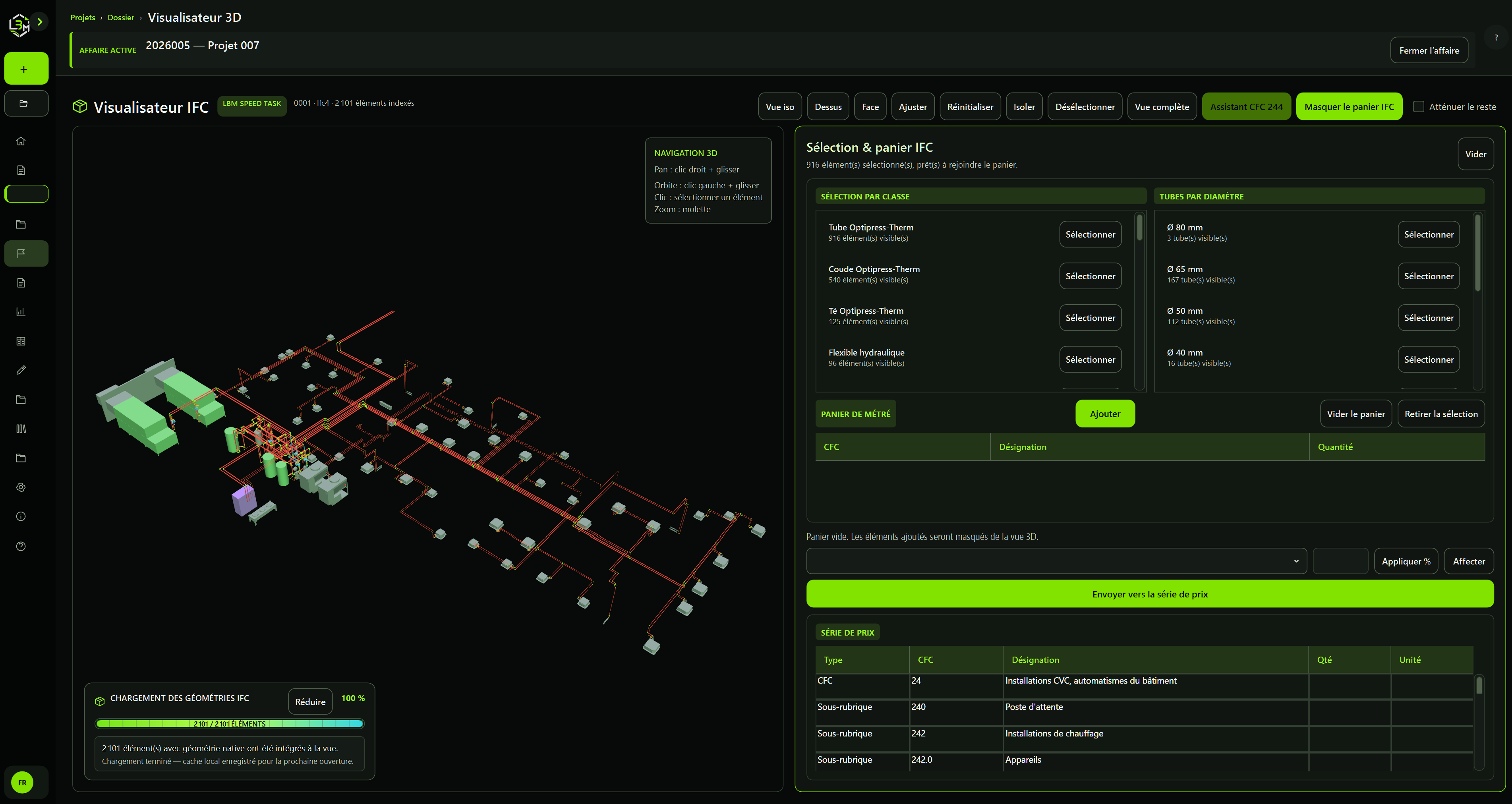
From the IFC model to the price schedule

From the IFC model to the price schedule

View networks in 3D, select elements and prepare a quantity take-off basket. Check quantities and CFC classification before transferring them.

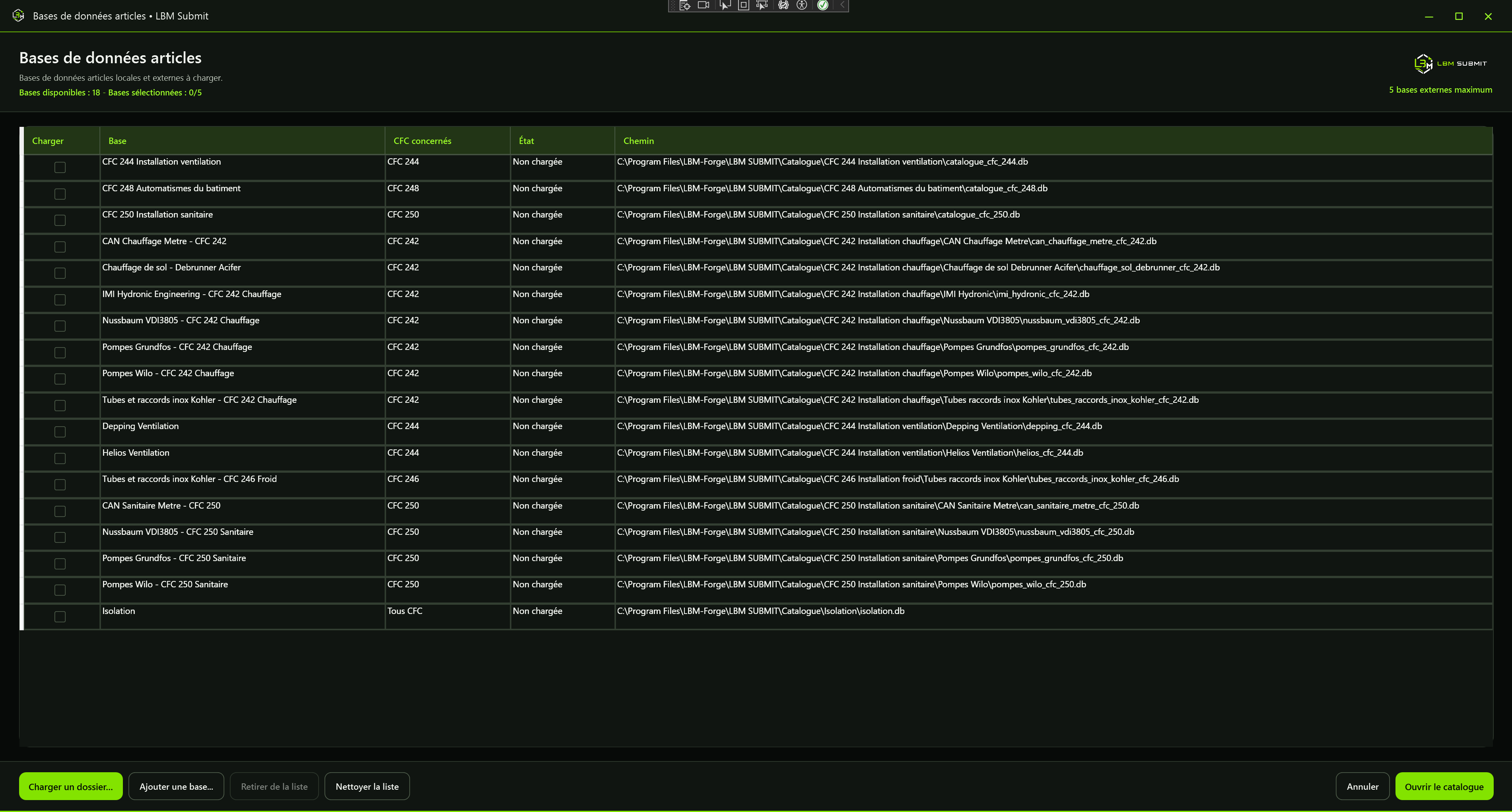
Libraries suited to the project

Libraries suited to the project

Choose the item databases relevant to your discipline. Local and external sources remain identifiable in the catalogue.

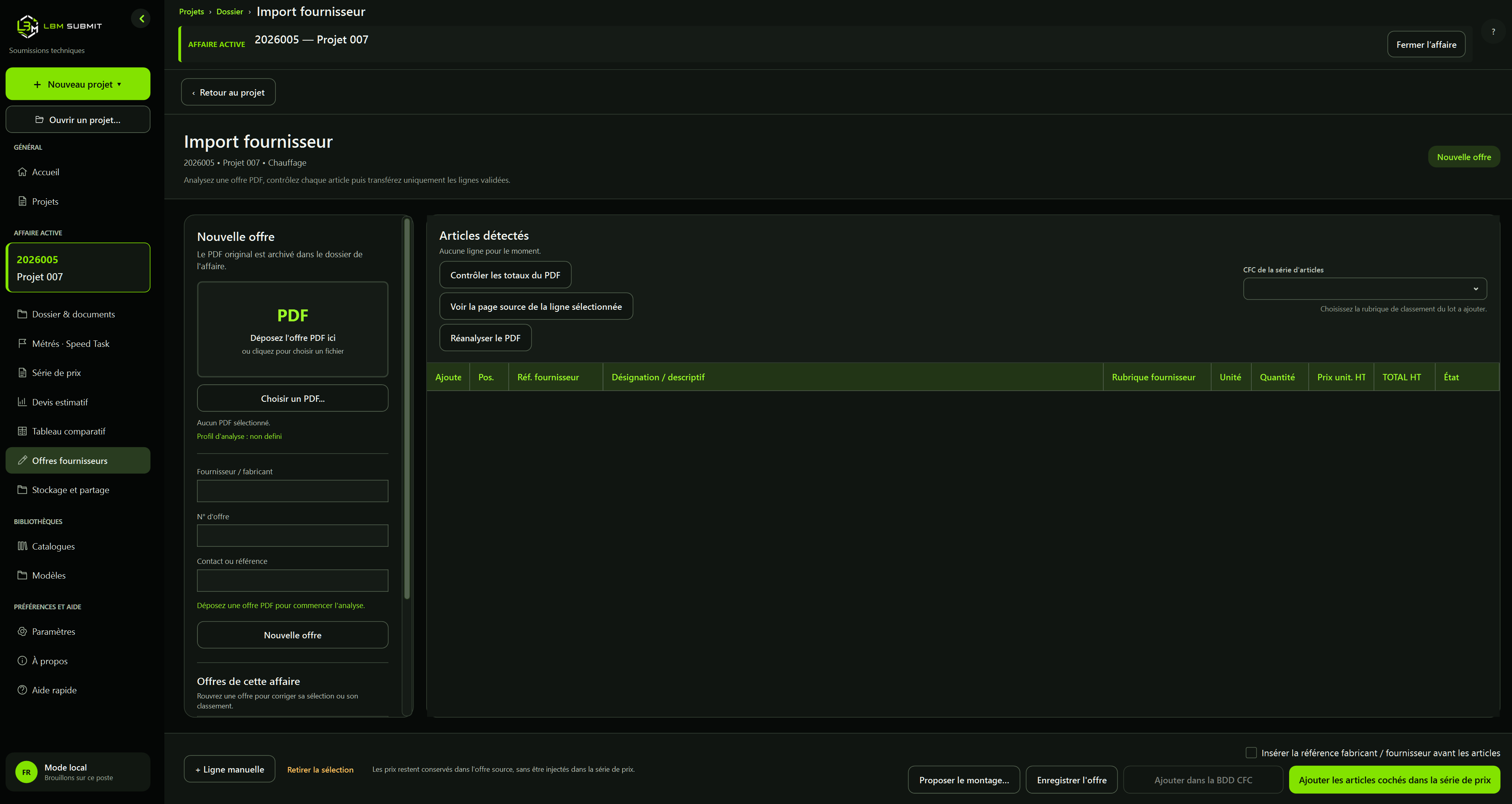
Import a supplier quotation as a PDF

Import a supplier quotation as a PDF

Add the supplier PDF to the project to start the analysis. The source document is kept with the project for checking and reference.

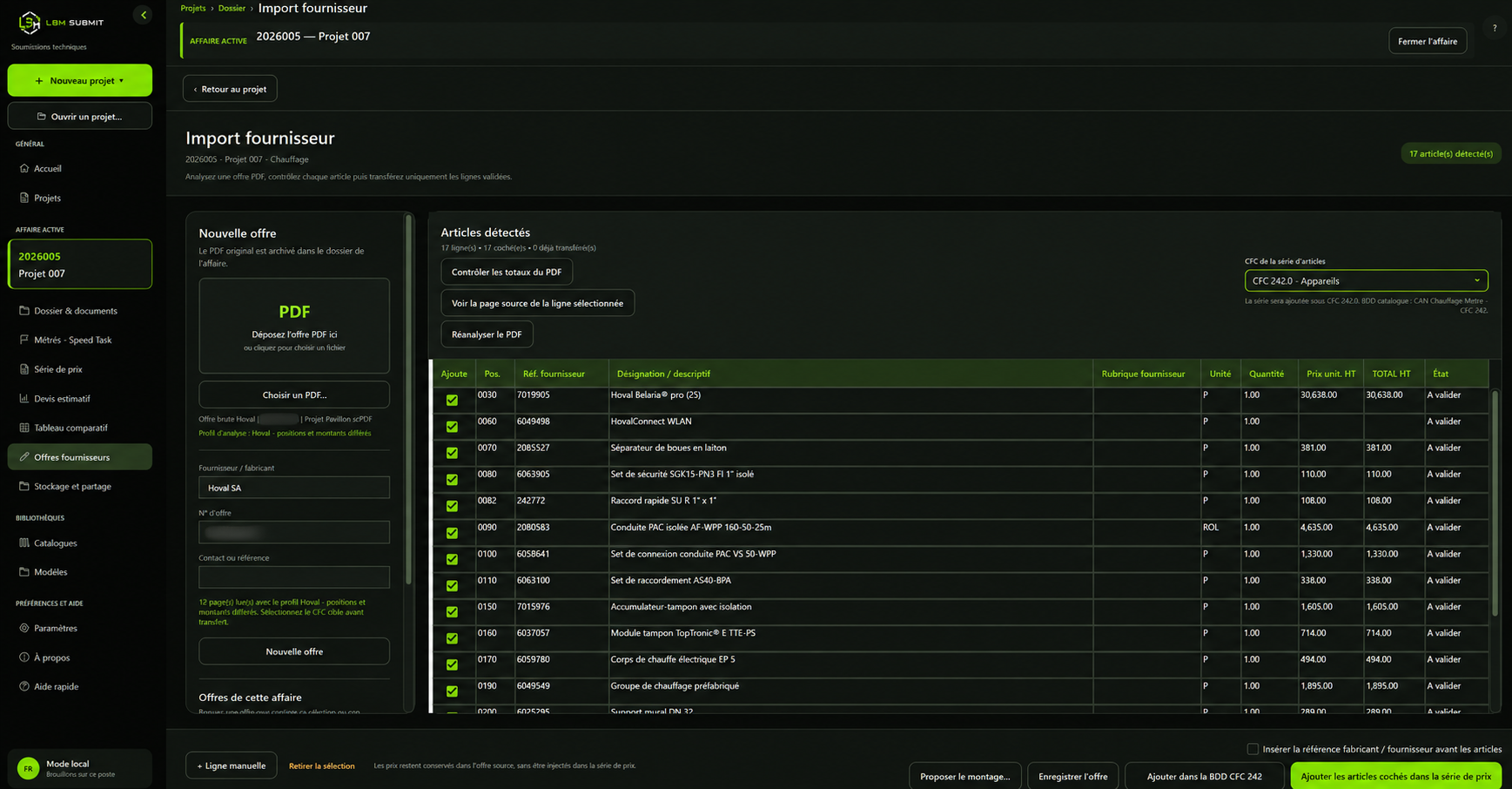
Check items before transferring them

Check items before transferring them

Review detected references, descriptions, quantities and amounts, then select the CFC and the lines to transfer. Supplier prices stay in the source quotation and do not populate the tender prices.

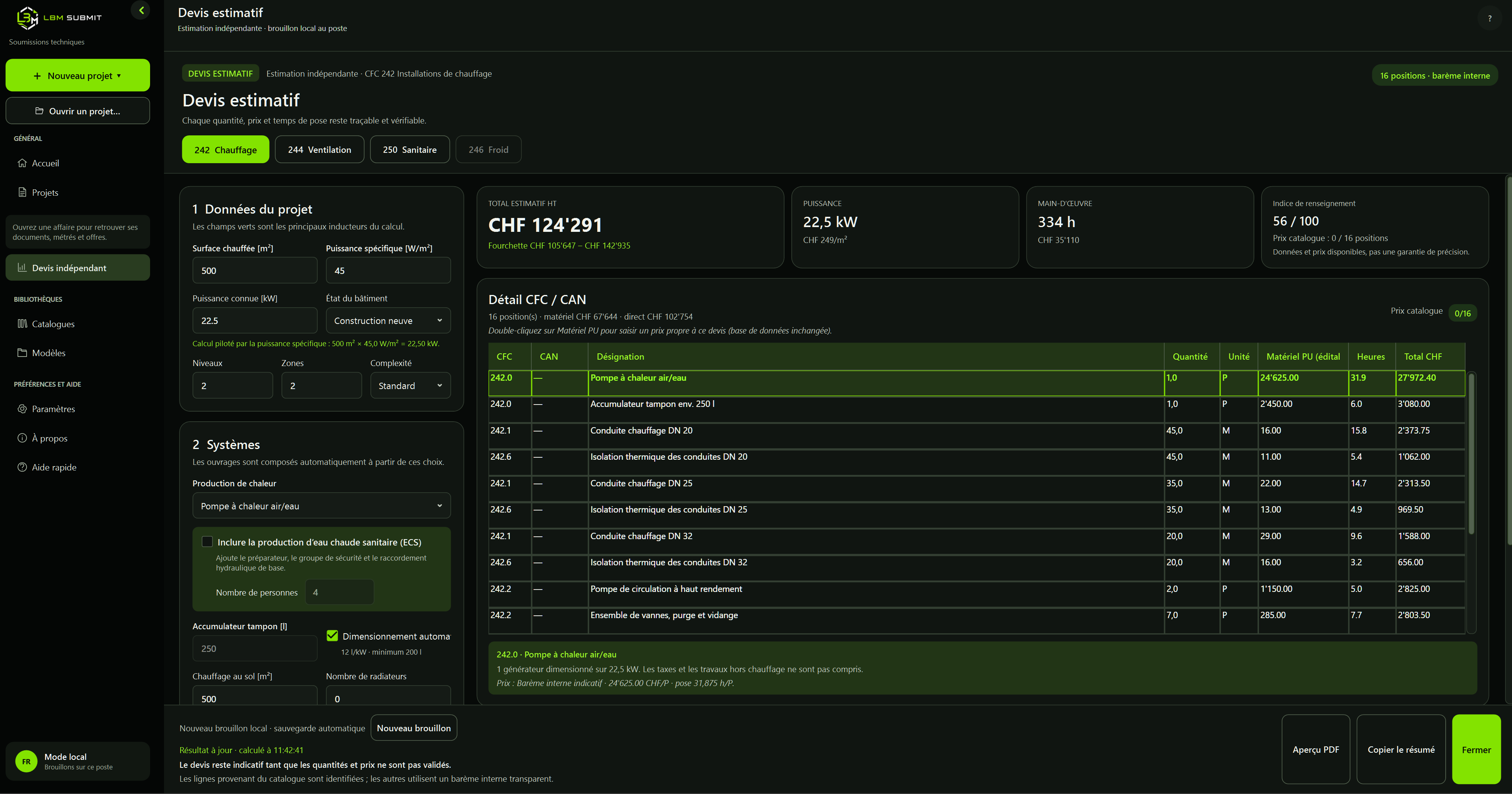
A detailed cost estimate

A detailed cost estimate

Adjust assumptions, review individual items and distinguish materials from labour. The amount remains indicative until quantities and prices are validated.

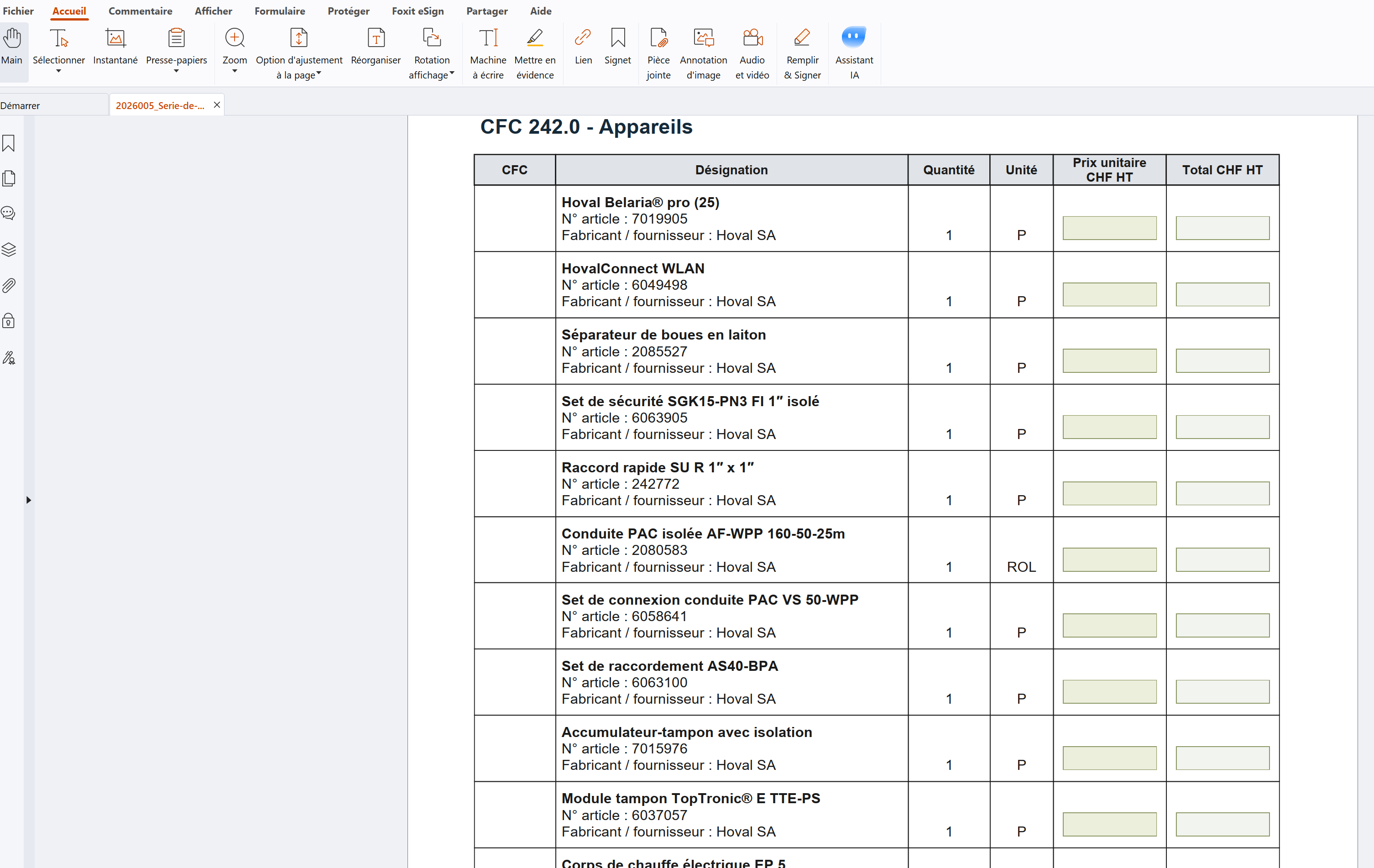
A PDF ready for pricing

A PDF ready for pricing

Export the price schedule with fillable numeric fields. Companies enter their prices directly in a compatible PDF reader.

01

Projects and documents

Centralise assignment data and compose the file without scattered documents.

  • ✓Recent projects, status and progress
  • ✓Rich editing for chapters and conditions
  • ✓Office appendices and bidder requirements
02

CFC/BKP price schedule

Build a clear Swiss hierarchy from heading to priced item.

  • ✓Nested headings and subheadings
  • ✓Items, quantities, units and prices
  • ✓Manual heating and ventilation entry
03

Local technical catalogue

Reuse office articles without depending on a cloud service.

  • ✓Classification by CFC/BKP, family and manufacturer
  • ✓Linked images and technical documents
  • ✓Up to five external databases active at once
04

Supplier quotes

Turn useful PDF lines into reviewed articles before adding them.

  • ✓Dedicated profiles for several Swiss suppliers
  • ✓Article, option, service and total classification
  • ✓Validation before catalogue or price schedule
05

LBM Speed Task

Speed up pre-inventory and take-offs from design documents.

  • ✓IFC inventory and 3D viewing
  • ✓DXF network lengths and sections
  • ✓Assisted reading of heating PDF plans
06

Preview and exports

Check presentation before issuing consultation documents.

  • ✓A4 portrait layout
  • ✓PDF and Word exports
  • ✓Excel price-schedule export
07

Companies and invitations

Maintain companies and contacts, then select the recipients of a tender invitation.

  • ✓Library independent of the bidders selected for a project
  • ✓Search, multiple selection and deduplicated addresses
  • ✓Configurable shared NAS database; backups and network validation required
08

Outlook drafts

Prepare an HTML message in classic Microsoft 365 Outlook without automatically sending the tender.

  • ✓Recipients in Bcc
  • ✓Project, CFC/BKP, readable link and return deadline
  • ✓Editable before sending; add your signature in Outlook
09

PDF storage and sharing

Sharing on a remote server, reserved for authorised workstations and accessible from the project.

  • ✓Rename, availability period and optional access code
  • ✓Download page and anti-bot protection
  • ✓Copy the link, stop access and delete the hosted PDF
10

Download activity

Review recorded events and activity grouped by IP address.

  • ✓First and last activity, repeated access
  • ✓Country estimated using a local database; estimated browser and device
  • ✓An IP address does not identify a company; access does not prove the PDF was read
11

Cost estimate

Prepare a budget estimate from the price schedule or the heating, ventilation and sanitary modules.

  • ✓Cost breakdown and adjustable estimate prices
  • ✓PDF preview and pricing summary
  • ✓Indicative amounts until quantities and prices are validated
12

Bid comparison

Select bidders, link their priced tender PDFs and compare offers before making your decision.

  • ✓Companies, contacts and consultation status for each project
  • ✓Compare unit prices, missing items and equivalences requiring approval
  • ✓Summary with discounts, adjustments, VAT and total discrepancies
  • ✓Bids requiring review remain unranked; submitted quantities are not automatically normalised to a common basis