Tender file
How to structure a technical tender file
A stable structure simplifies writing, internal review and reading by bidders.
LBM Submit
Inside the software
From technical preparation to tender documents: explore the LBM Submit workspaces.
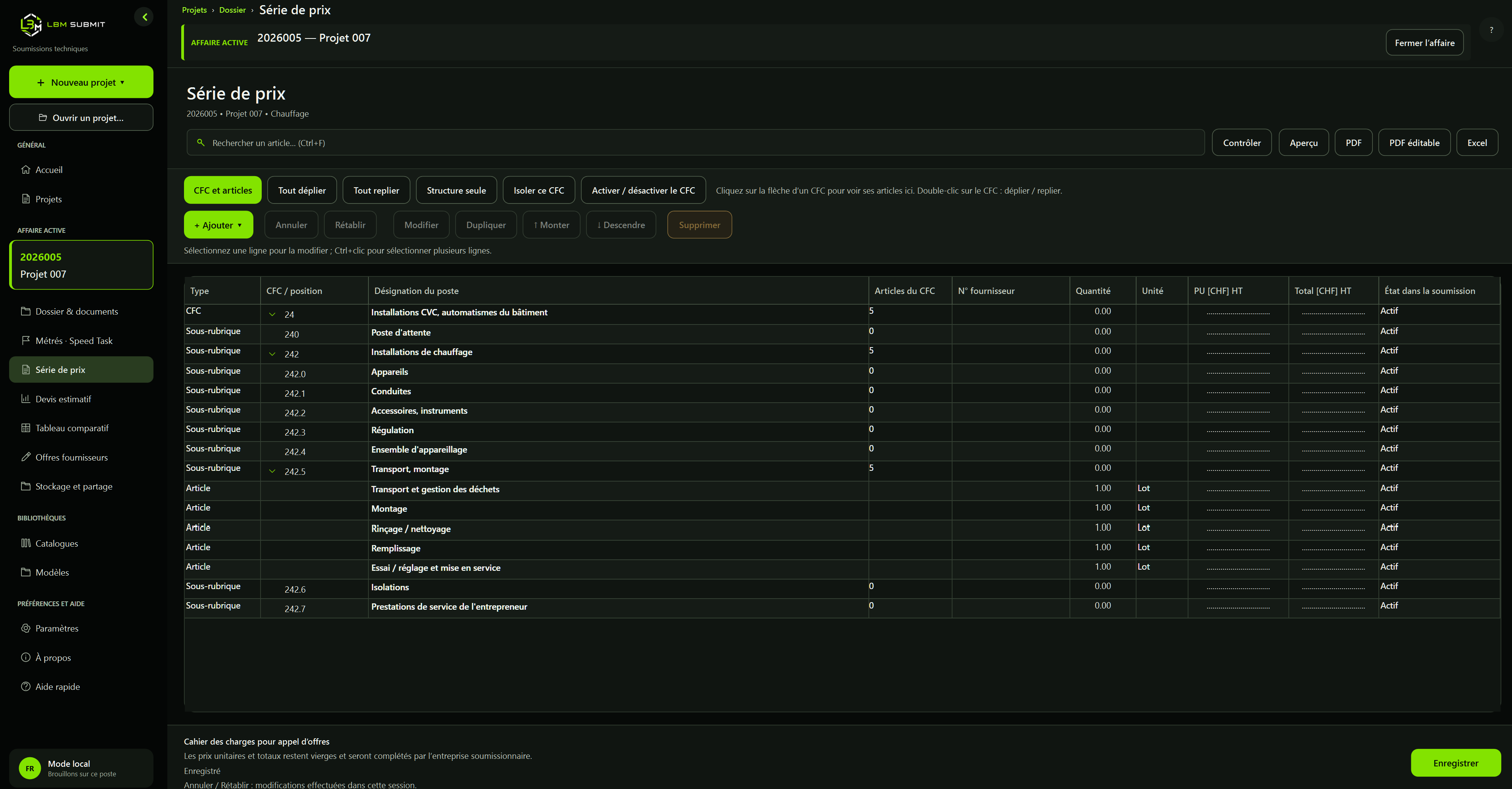
A price schedule organised by CFC
Structure sections, add items and check quantities. Prices to be completed by bidding companies remain blank in the tender document.
01
Start with a complete structure
Cover, conditions, description, price schedule, variants and appendices should form one continuous set. LBM Submit provides eight customisable starting chapters.
02
Separate standards from project data
Fixed content, styles and reusable variables belong in the template. Stakeholders, content and assignment-specific appendices stay in the project.
03
Review before issue
The A4 preview helps check hierarchy, carry-forwards, tables and attachments before PDF or Word export. Also check the editable price-schedule fields and the return deadline entered in the project.
04
Prepare the invitation
Authorised office workstations can publish the PDF and select recipients from the company library. Classic Outlook opens a Bcc draft with the link; review its content and add your signature before sending manually.
05
Interpret download activity
The log records downloads started. IP address, browser and estimated country do not prove which company read the document. A link can be forwarded and several people can share an IP.